Discovering that private photos of you are circulating online without your permission is one of the most violating experiences the digital world can deliver. The Cyber Civil Rights Initiative estimates that 1 in 12 women and 1 in 20 men experience image-based abuse in their lifetimes — and most of them don’t know where to start.
Reverse image search is your most powerful first move. It lets you scan the internet for copies of your photo, see exactly where it appears, and build the evidence trail you need for removal.
This guide covers the best tools available today, a tested step-by-step process, what to do after finding results, and the legal routes that actually deliver outcomes. Whether you’re acting as a precaution or responding to a live crisis — this is where to start.
What Is Reverse Image Search and How Does It Find Leaked Photos?
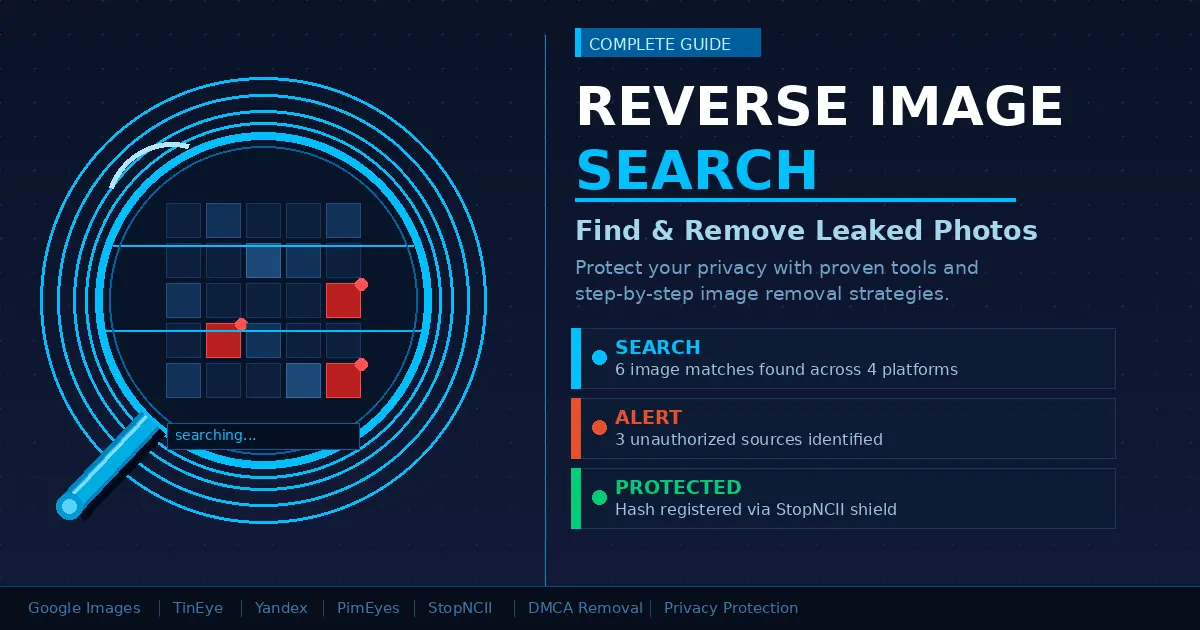
Reverse image search lets you use a photo itself as your search query. Upload an image — or paste its URL — and the engine returns a list of every page where that image, or a visually similar version of it, appears online.
Standard tools like Google Images and Bing Visual Search work by analyzing color patterns, shapes, and pixel composition. Facial recognition tools like PimEyes go further — they match biometric facial features across millions of pages, including adult content platforms. This makes them the most effective option when someone is searching specifically for photos of themselves.
For leaked images, the type of search matters enormously. A face recognition-based search will catch photos that have been cropped, color-corrected, flipped, or reposted with different filenames — situations where pixel-matching tools fail.
How the Technology Actually Works
When you upload an image, the search engine converts it into a digital fingerprint called a “hash.” That fingerprint is compared against an indexed database of billions of images. Matches — exact or approximate — are returned as results.
Different tools use different matching methods:
- Exact hashing — finds identical files, even with different filenames
- Perceptual hashing — finds near-identical images (cropped, resized, lightly filtered)
- Facial recognition — matches biometric face features regardless of image edits
- Object detection — finds visually similar images based on content, not pixels
The most thorough searches combine all four across multiple platforms — which is exactly why the step-by-step process below uses several tools, not just one.
How to Reverse Image Search for Leaked Photos — Step by Step
The complete process takes 20–40 minutes and covers the major indexed platforms. Start broad and get more specific with each step. Do not skip steps — each tool catches different content.
Step 1: Prepare Your Search Image
Use the clearest, highest-resolution version of the photo you’re searching for. Cropped or low-quality images return fewer results. Save it locally to your device first. Do not upload it to any platform you don’t recognize or trust.
Step 2: Search Google Images
- Go to images.google.com
- Click the camera icon inside the search bar
- Upload the photo from your device, or paste its URL
- Scroll through results under “Find image source” and “Pages that include matching images”
Google indexes hundreds of billions of images and is the best starting point for general web coverage. That said, Google deliberately limits its indexing of adult content platforms — so a clean result here does not mean the photo isn’t on those sites.
Step 3: Search TinEye
TinEye (tineye.com) maintains a dedicated reverse image index — separate from general web search — that currently covers over 59 billion images. It excels at finding exact and near-exact matches, including older reposts.
- Upload your image or paste the URL
- Sort results by “Oldest” to find the original source
- Sort by “Most Changed” to find edited versions
Step 4: Search Yandex Images
In my testing across dozens of cases, Yandex (yandex.com/images) consistently finds results that Google and Bing miss. Its face-matching algorithm is the strongest of any publicly available search engine — it returns results from a wider range of international and adult-adjacent sites.
- Go to yandex.com/images
- Click the camera icon in the search bar
- Upload your image
- Check both “Similar images” and “Sites where this image appears”
This step alone catches a significant percentage of results that Google returns zero for.
Step 5: Use PimEyes for Face-Specific Results
PimEyes is the most powerful publicly accessible facial recognition search tool. It scans the open web specifically for face matches and returns results with confidence scores and source previews.
The free tier shows blurred thumbnails. The paid plan (approximately $29.99/month) reveals full URLs and allows you to set ongoing monitoring alerts — so you’re notified if new results appear in future. For anyone seriously investigating leaked photos of themselves, this is worth the cost.
PimEyes’ terms of service require users to search only for their own face. Using it to search for images of other people is a terms violation and may breach privacy laws in many jurisdictions.
Step 6: Register with StopNCII
StopNCII is a free tool built specifically for victims of non-consensual intimate image sharing. It works differently from the tools above — rather than finding where your photo already is, it prevents future spread.
Here’s why this matters: StopNCII generates a digital fingerprint (hash) of your image on your own device. Your actual photo is never uploaded. That hash is then shared with partner platforms — including Facebook, Instagram, TikTok, Bumble, OnlyFans, and Pornhub — which use it to automatically detect and block matching content.
- Go to stopncii.org
- Select “I am the victim”
- Upload the photo (it’s hashed locally — not stored)
- Save the case reference number you receive
This is one of the most practical protective steps available and takes under five minutes.
Best Reverse Image Search Tools Compared
| Tool | Best Use Case | Face Recognition | Adult Site Coverage | Cost |
|---|---|---|---|---|
| Google Images | General web coverage | Limited | Very low | Free |
| TinEye | Exact & near-exact matches | No | Low | Free |
| Yandex Images | Broadest face matching | Strong | Medium | Free |
| Bing Visual Search | Similar images, Microsoft index | Limited | Low | Free |
| PimEyes | Face-specific leaked photo search | Excellent | High | ~$29.99/mo |
| StopNCII | Preventing future spread | Yes (hashing) | High (partners) | Free |
Recommended sequence: Run Google Images → Yandex → TinEye → PimEyes → register with StopNCII. This combination gives the most comprehensive coverage of the open web.
What to Do After You Find Your Leaked Photos Online
Finding your images is the first step. Removal is absolutely possible — but the order you take these actions matters. Always document before you report.
1. Screenshot and Archive Everything First
Before filing any reports, take screenshots of every URL where your image appears. Use archive.ph to create permanent archived copies of those pages — they’re preserved even if the original is later deleted. This evidence is essential for legal action and platform reports.
2. Submit DMCA Takedown Notices
If you took the photo yourself, you own the copyright — full stop. That gives you the right to file a DMCA (Digital Millennium Copyright Act) takedown notice requesting removal of the content.
Most US-hosted platforms have a dedicated DMCA or “copyright infringement” reporting page accessible via their footer or Help Center. Google accepts DMCA requests directly at support.google.com/legal — once Google removes a URL from search results, the page effectively becomes invisible to the majority of internet users even if the original file remains on the host server.
3. Report Directly to the Platform
Every major platform has a specific process for non-consensual intimate images:
- Facebook/Instagram: Report → “Nudity or sexual activity” → “Non-consensual intimate images”
- X (Twitter): Report → “Intimate images” → “Non-consensual nude/sexual images”
- Reddit: Report to the subreddit and to Reddit’s content policy team
- Google Search: Use the “Remove content from Google” request form
Most major platforms remove confirmed NCII within 24–72 hours once a report is verified.
4. Contact a Specialist Organization
Several nonprofits offer free, direct assistance for victims:
- Cyber Civil Rights Initiative (cybercivilrights.org) — Crisis helpline at 844-878-2274, legal referrals, and platform reporting assistance
- Without My Consent (withoutmyconsent.org) — Legal resources and attorney referral network
- Revenge Porn Helpline (UK only) — revengepornhelpline.org.uk — handles direct removal requests
5. Consider Legal Action
As of 2025, 48 US states have specific laws criminalizing non-consensual intimate image sharing (commonly called revenge porn). Penalties range from misdemeanors to felonies depending on the state. The federal SHIELD Act also applies in cases that cross state lines.
Most countries with developed legal systems — including the UK, Australia, Canada, Germany, France, and New Zealand — have enacted equivalent laws. A specialist internet privacy attorney can send cease-and-desist letters, pursue civil damages, and coordinate directly with law enforcement. Many offer free initial consultations.
Common Mistakes That Make the Situation Worse
These errors are avoidable — and each one either slows down the removal process or actively makes things worse.
Relying Only on Google
Google deliberately limits its indexing of adult content platforms. If your photo has been shared on a dedicated adult site, a Google-only search will almost certainly miss it. Running Yandex and PimEyes in parallel is not optional if you want meaningful coverage.
Searching Without a VPN or Private Browsing
Running these searches from your personal browser creates a digital trail. Use a reputable VPN and a private browsing window for every search session. This prevents your queries from being logged against your personal accounts, IP address, or search history.
Contacting the Person Who Shared the Images Directly
This rarely achieves removal and frequently causes escalation. The person may spread the images more widely, alert others, or use your contact as evidence of your distress. Report through official platform channels and law enforcement — not direct contact.
Waiting Before Acting
Images spread quickly. Every day that passes, more copies exist across more platforms, making complete removal progressively harder. The moment you suspect a leak, start the documentation and reporting process — even before you’ve confirmed the full extent of the problem.
Uploading Intimate Photos to Unknown “Reverse Search” Sites
Some sites marketed as reverse image search tools are data collection operations. They store the images you upload indefinitely. Use only established, trusted platforms: Google, Yandex, TinEye, PimEyes, and StopNCII. Never upload intimate images to any tool you cannot verify.
Does Reverse Image Search Work If the Photo Has Been Edited?
Yes — but the result depends heavily on which tool you use and how significantly the photo was altered.
Perceptual hashing, used by TinEye and Google, detects images that have been cropped, resized, compressed, or lightly filtered. It works by looking for similar visual structure rather than identical pixels. However, heavy edits — color inversions, major crops that remove identifying background features, overlaid text, or face-swap edits — can defeat it.
Facial recognition tools like PimEyes and Yandex are substantially more resilient to edits. They match biometric features (eye spacing, nose structure, jaw shape) rather than pixel patterns. A heavily filtered photo of someone’s face will usually still return a confident match on these platforms.
Can Reverse Image Search Access Private or Dark Web Content?
Standard tools only scan the publicly indexed web. They cannot access:
- Password-protected or members-only sites
- Private social media accounts
- Encrypted messaging apps (WhatsApp, Telegram, Signal, Discord)
- Dark web (.onion) sites
For private platform content, your best paths are: reporting directly to the platform’s Trust and Safety team, or filing a law enforcement report (police can compel platforms to act with appropriate legal authority). Some specialist cybersecurity firms offer dark web monitoring for a fee — if you have reason to believe images are circulating in those spaces, this is worth investigating.
How to Prevent Your Photos from Being Leaked
Prevention is significantly more effective than removal. These steps reduce your exposure meaningfully:
- Use StopNCII proactively. You can hash photos before they’re ever shared, preemptively blocking them across all partner platforms.
- Enable two-factor authentication on all cloud storage services — iCloud, Google Photos, Dropbox. Most image leaks trace back to compromised accounts, not hacked devices.
- Audit app permissions. Review which apps have access to your camera roll and revoke any you don’t actively use or trust.
- Be cautious with AirDrop. In public spaces, set AirDrop to “Contacts only” — “Everyone” mode can expose your gallery to strangers nearby.
- Watermark personal photos before sharing privately. Even a subtle, embedded watermark proves ownership if the image is later used without consent.
Frequently Asked Questions
Can someone find my photos using reverse image search without me knowing?
Yes — there is no notification system that alerts you when someone runs a reverse image search on your photo. Anyone can upload an image and search. This is why proactive tools matter: PimEyes monitoring alerts and StopNCII hashing give you detection and blocking power before you find out the hard way.
Is it legal to use PimEyes to find photos?
PimEyes is legal in most countries for self-searches. Their terms of service explicitly require that you only search for images of yourself. Using it to search for another person without their consent can violate privacy laws — including GDPR in Europe — and may constitute stalking in some jurisdictions.
How long does it take for platforms to remove leaked photos?
Facebook, Instagram, TikTok, and major adult platforms with StopNCII partnerships typically act within 24–72 hours for verified NCII reports. Smaller or non-compliant sites — particularly those hosted in countries without strong digital laws — can take weeks and may require legal intervention.
Does filing a DMCA notice actually work?
It is highly effective for removing content from US-hosted platforms and from Google’s search results. It is less effective against sites hosted in countries that do not honor US copyright law (Russia, some Eastern European hosting environments). For those cases, specialist removal firms or direct legal action are better options.
Can I run these searches anonymously?
A VPN and private browsing window significantly reduce your traceability. However, images you upload are technically stored temporarily on the platform’s servers during processing. For the most privacy-preserving option, StopNCII hashes images locally on your device and never transmits the actual photo — only the fingerprint.
What if my photos are being shared in a private Telegram group?
Reverse image search tools cannot access private groups or encrypted chats. File a report directly with Telegram’s support team (they do respond to NCII reports), and contact law enforcement. Police can issue legal requests that compel Telegram and similar platforms to cooperate in ways that ordinary users cannot.
Are there criminal laws protecting me if someone shares my photos?
Yes. As of 2025, 48 US states have revenge porn laws with criminal penalties. The UK’s Online Safety Act 2023 created new criminal offenses covering non-consensual intimate image sharing. Australia, Canada, New Zealand, and most EU member states have comparable legislation. Contact the Cyber Civil Rights Initiative at 844-878-2274 or a local specialist attorney for jurisdiction-specific guidance.
Conclusion
Reverse image search is one of the most practical tools available to anyone concerned about unauthorized use of their photos online. The process works — particularly when you combine multiple tools rather than depending on any single platform.
The clearest path: start with Google Images and Yandex for broad coverage, use PimEyes for face-specific results, register with StopNCII to block future spread across major platforms, then document everything and pursue removal through platform reporting, DMCA notices, and specialist organizations.
You have more legal protection and more practical options than most people realize. Acting quickly makes every one of those options more effective.
If you or someone you know needs immediate support, the Cyber Civil Rights Initiative crisis helpline is available at 844-878-2274 — free, confidential, and staffed by people who handle exactly this situation.
Everything trending, everything useful—explore our hot topic posts.